
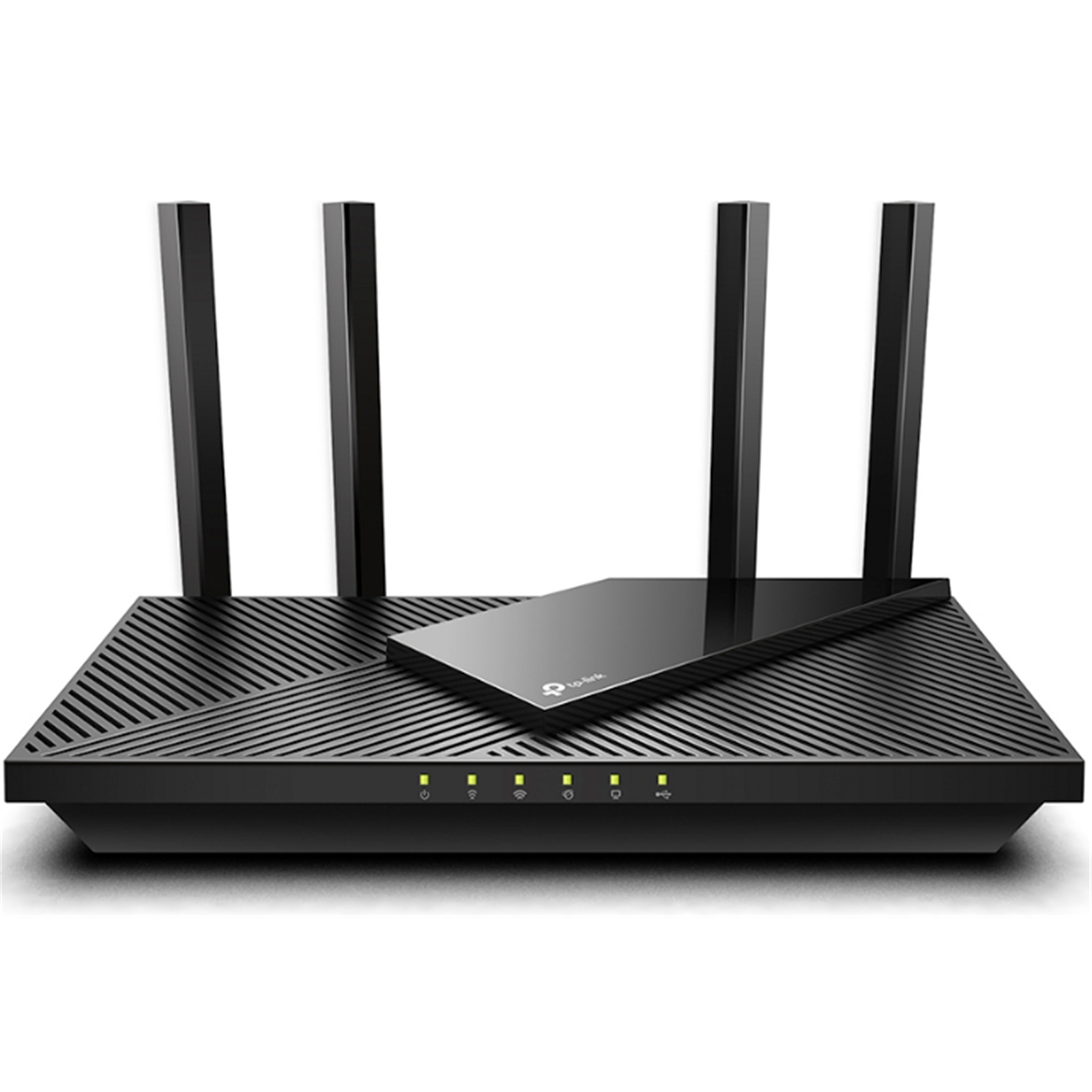
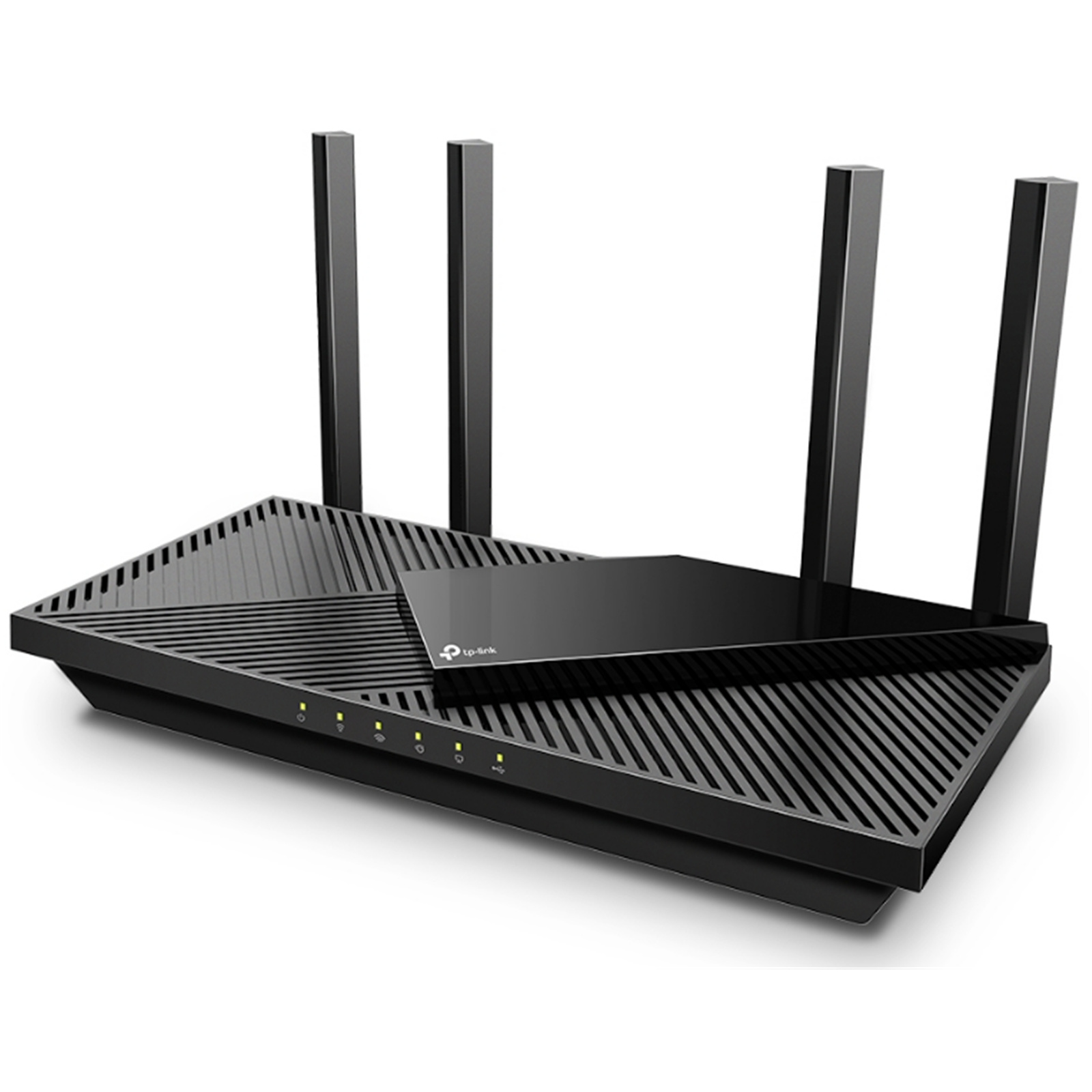
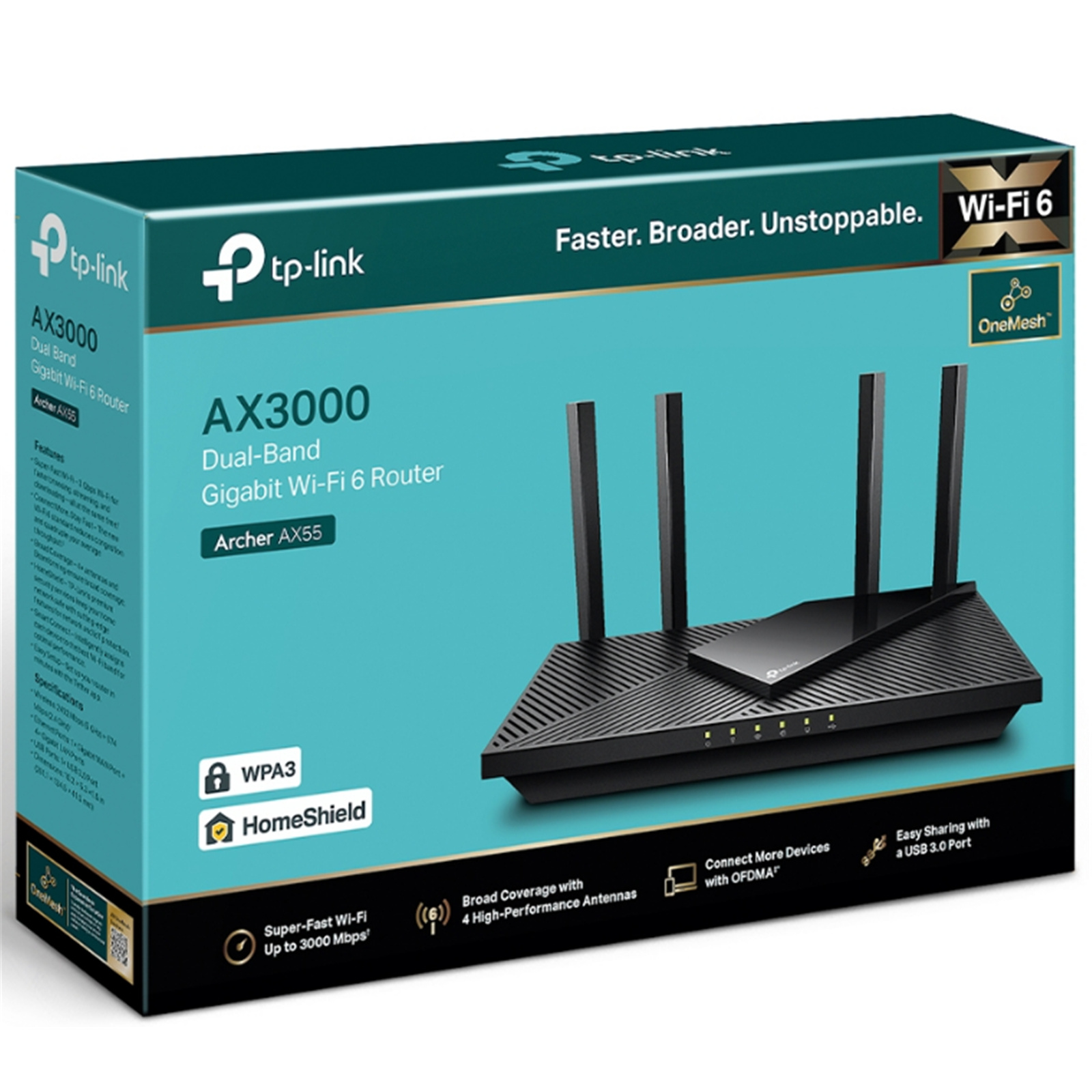
TP-Link Archer AX55 (AX3000) Dual-Band WiFi 6 Router
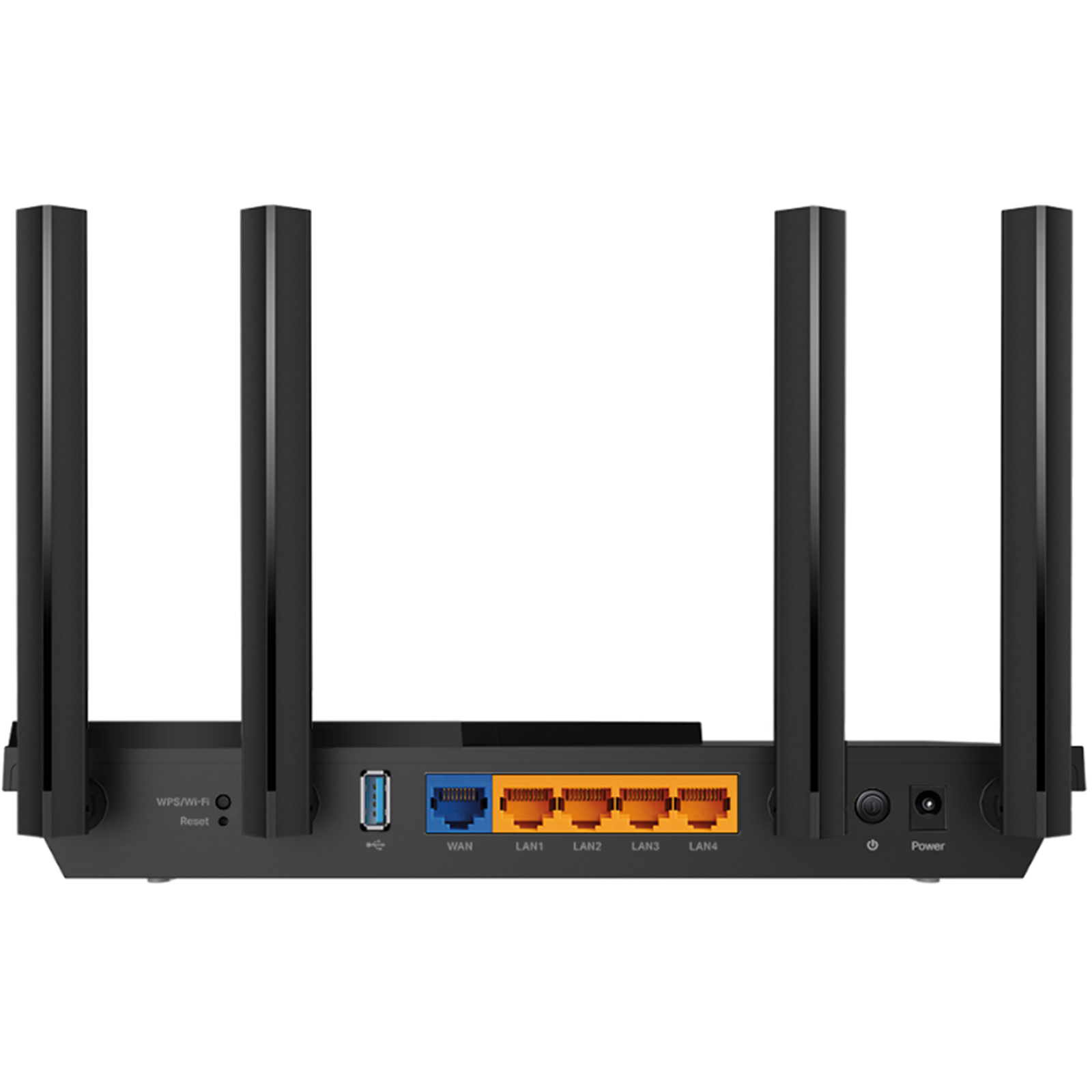
1GbE x5 / USB 3.0 x1
TP-Link Archer AX55 (AX3000) Dual-Band WiFi 6 Router
1GbE x5 / USB 3.0 x1
- Brand: TP-Link
- MPN: ARCHER AX55
- Part #: NETTPL6055
- UPC:
- Brand: TP-Link
- MPN: ARCHER AX55
- Part #: NETTPL6055
- UPC:
What PB Tech customers are saying about this product...
See More ReviewsCustomer Review Summary
"Customers love the TP-Link Archer AX55 router for its exceptional Wi-Fi range and speed, significantly improving connectivity across medium-sized homes. Easy to set up, it provides ...view more"

"Huge improvement from the ISP supplied router. Handles my 2.4 GHz devices so much better with no more unstable network messages. Great service and quick delivery by PB Tech as alwa ...view more"

"I recommend this buy. It was easy to setup just like other TP -Link products I’ve previously purchased through PBT. So far working well."
COMBO DEALS: Buy Together and SAVE!


Cruxtec ADS01 Clean Range Compressed Air Duster 400ml Spray Can with Nozzle Dust-off Compressed air...
$12.03
$12.03
$52.29
$52.29
Features
Archer AX55 AX3000 Dual Band Gigabit Wi-Fi 6 Router
- Next-Gen Gigabit Wi-Fi 6 Speed-2402 Mbps on 5 GHz and 574 Mbps on 2.4 GHz band ensure smoother streaming and faster downloads.
- Connect More Devices-OFDMA technology increases capacity by 4 times to enable simultaneous transmission to more devices.
- Ultra-Low Latency-Enables more responsive gaming and video chatting.
- Expanded Wi-Fi Coverage-Four high-gain external antennas and Beamforming technology combine to extend strong, reliable Wi-Fi throughout your home.
- TP-Link HomeShield - Enhanced security defends against the latest cyber threats.
- Improved Battery Life-Target Wake Time helps your devices to communicate more while consuming less power.
- Compatible with Alexa-Control your router via voice commands and make your life smarter and easier with Amazon Alexa.
- Supports OneMesh™ to form seamless whole-home coverage, preventing drops and lag when moving between signals.
The New Era of Home Connectivity
AX3000 Dual-Band Gigabit Wi-Fi 6 Router


Wi-Fi 6 Upgrades Everything
The latest generation of Wi-Fi technology brings faster speeds, less lag, and higher capacity, enabling more simultaneous connections on your home network.

Incredible Speed
Drastically improved speeds enable streaming, fast downloading, and gaming-all at the same time. 5 GHz with 160 MHz channel support doubles the bandwidth, enabling 8K video without lag.

More Responsive Experiences - Less Loading Wheels
Enjoy smooth gaming, video streaming, and live feed simultaneously. OFDMA makes your Wi-Fi stronger by allowing multiple clients to share one band at the same time, which cuts latency and jittering.
- OFDMA
- 4x Capacity

Powerful CPU and High Memory - Connect More without Dropping Speed
Behind the Wi-Fi 6 technology structure are the advanced Qualcomm chipset and high memory. Enjoy fast connections with minimal latency even under a heavy load of transmission. Every click for website links and online playback on your laptop and phone just responds quicker.

Improved Cooling Design Consistent Full Output
No heat-ups, no throttles. A larger heat sink and refined case design cool the Wi-Fi 6 system and enable your network to stay at top speed in more versatile environments.

Wi-Fi Coverage Throughout Your Home
4 high-performance external antennas boost Wi-Fi signals throughout your home. Beamforming technology detects devices and concentrates wireless signal strength towards them, especially for previously hard to reach outlets.

USB 3.0 Ports
Easily share files between connected devices by plugging into an external drive. You can even make it your personal cloud storage and access it from outside securely*.

TP-Link OneMesh™ - Flexible Create Whole Home Wi-Fi with Archer AX55
Want to build a whole-home Wi-Fi? Archer AX55 supports OneMesh to form seamless whole-home coverage, preventing drops and lag when moving between signals.

TP-Link HomeShield: Advanced Security for Your Everyday Devices
With TP-Link HomeShield, enjoy advanced security features delivering a safe environment that protects your family and network's data and privacy.
Home Network Scanner
Real-time network scanner to detect potential threats and security issues.

Parental Controls
Manage time online and block inappropriate content keeping your family safe online.

Quality of Service
Assign your favourite devices to have the fastest connections for top performance.

Upgrade to HomeShield Pro (Subscription fees apply)
DDoS Attack Prevention

IoT Device Protection

Advanced Parental Controls including Time Rewards

1-Month Free Trial

WPA3-New Level of Cyber Security
The latest Wi-Fi security protocol, WPA3, brings new capabilities to improve cybersecurity in personal networks. More secure encryption in Wi-Fi password safety and enhanced protection against brute-force attacks combine to safeguard your home Wi-Fi.

Easy Setup and Use
Whether you prefer the intuitive Tether app or TP-Link's powerful web interface, you can set up your Archer AX55 in minutes. The Tether App allows you to manage network settings from any Android or iOS device.
Protect Your Children
Block inappropriate content for your children, and customize a time range for better online habits.

New Connection Notification
You will be notified by your phone when new devices connect. Kick-off any suspicious connections and block them. It's as simple as that.

Easy Firmware Upgrade
Tired of upgrading firmware? OTA updates enable easy firmware upgrades with a click in the management panel. To keep your security and functions always up-to-date, just turn on the auto-schedule.

†Maximum wireless signal rates are the physical rates derived from IEEE Standard 802.11 specifications. Actual wireless data throughput, wireless coverage and number of connected devices are not guaranteed and will vary as a result of network conditions, client limitations, and environmental factors, including building materials, obstacles, volume and density of traffic, and client location.
‡Use of 802.11ax (Wi-Fi 6) and its features including OFDMA, HE160, and TWT requires clients to also support corresponding features. The 160 MHz bandwidth may be unavailable in the 5 GHz band in some regions/countries due to regulatory restrictions. Actual power reduction by Target Wake Time may vary as a result of network conditions, client limitations, and environmental factors.
§The 802.11ax white paper defines standardized modifications to both the IEEE 802.11 physical layers (PHY) and the IEEE 802.11 Medium Access Control (MAC) layer as enabling at least one mode of operation capable of supporting the improvement of at least four times the average throughput per station (measured at the MAC data service access point) in a dense deployment scenario.
?HomeShield includes the Free Basic Plan. Fees apply for the Pro Plan
*Use of WPA3 requires clients to support WPA3.
**This router may not support all the mandatory features as ratified in the IEEE 802.11ax specification.
***Further software upgrade for feature availability may be required.
Specifications
Reviews
Do you own this product?
Initial disappointment then Bingo! The firmware update is essential!
Initially had to chat to Orcon to get settings to connect to Fibre broadband. The help sheet from PB tech did not help. Couldn't set the time and date properly either. Then I found the offer of a firmware update. Downloaded and what a difference. It fixed all sorts of problems including time and date and connection to fibre and switched on every feature on this modem. I printed and read the manual! It took two evenings but I now have every device in the house hooked up including the washing machine, my security cameras and recorder and my Dyson hot and Cold air purifier.
...view more
Very good mid-range router
I haven't had a chance to test the WiFi 6 capability, but the Ethernet and WiFi 5 both work great. It has a bigger range than the ISP router, and it's worth it over a mesh system or ISP router + access points for the cheap price. The admin UI is clean and easy to use, although I'm not the biggest fan of having to make an account to use all the features. It seems like it has good forwards compatibility with TP-Link brand mesh systems such as Deco.
TP-Link Router works very well
This TP-Link router works very well with good range within my 2 storey house. Works perfectly on 2Degrees broadband and you can find the settings on PB Techs excellent website. Easy to use interface with good security features.
Works a charm
We have skylink but weren't getting any internet at the far end of the house. This unit has solved our issue - well worth the money.
Performance as a router is good, but built-in content filtering is useless
As a router, this device is easy enough to setup and delivers solid speed and connection performance. However TP-link uses in-house filters for its parental control content filtering which seem to be designed in China where internet restrictions severely limit access to the broader internet. As a consequence, the built-in filtering in this product is woefully inadequate and won't family members from accessing undesireable content. I couldn't recommend this router to parents or anyone wanting to limit their internet usage.
Great router to extend starlink coverage
I'm not that savvy with tech, but am a 58 year old woman with a need for better coverage than a starlink router could provide in my smallish hoise and it was easy to set up just following YouTube and their instructions.
I have had much better coverage across the house, can set up separate logins for friends and prioritise my work devices to have more share of the internet. Bonus is you can turn the lights off at night. It's the little things that matter.
I'm so pleased I now have internet across my whole 1/4 acre now. And it was cheaper than the starlink mesh option with way more features.
I'm very happy with this product.

good product
am very happy with speed performance & range
Saturates 300mb connection
Saturates 300mb fibre connection, even from one storey directly above
Degrades to 100mbps from one storey above, maybe 25 steps down the hallway
Great Router
I've got 2 of these, one for an access point. They are so easy to set up, and reliable. I had a few issues but when I set up to reboot overnight, it goes smoothly. Highly recommend.
Excellent purchase for the price
I had a out of the box standard modem from my internet provider which I had nothing but problems with My internet dropping in and out and when I split the two bands at would reset itself having me to set up my modem all over again this product has been absolutely perfect for me it has great speeds and Wi-Fi 6 as great as well as the PlayStation supports it however the Xbox doesn't but that's okay we've had no dropouts and my smart light bulbs actually work now which is great so I give this product a 10 out of 10


Good enough
It's better than the cheap old one we had but I wouldn't say it's amazing. When it's good it's good but it comes and goes. Even got some Deco mesh to help and it's only a small apartment but can still drop to below 10Mbps.
It was also a nightmare to setup and do NOT use the chat help. I spent 2 hours after it wouldn't connect and turns out it was in the online instruction manual and took 5mins.
Weak WiFi signal
I picked up the TP-Link Archer AX55 AX3000 router in November 2023, expecting solid Wi-Fi. Unfortunately, it's been a letdown. Even in my small apartment, the signal drops out in the next room. I've tried everything from updating firmware to changing settings, but nothing seems to work. It's disappointing given its specs. I hope TP-Link improves this in future versions.

Accessories


Delivery & Pick-up
Returns & Warranty
Popular WiFi 6 Routers

 TP-Link Deco X55 (AX3000) Dual-Band WiFi 6 Whole-Home Mesh System...

 TP-Link Archer (AX1500) Dual-Band WiFi 6 Router 1GbE x5

 TP-Link Archer AX55 (AX3000) Dual-Band WiFi 6 Router 1GbE x5 /...

 TP-Link Deco X55 (AX3000) Dual-Band WiFi 6 Whole-Home Mesh System...

 TP-Link Deco X10 (AX1500) Dual-Band WiFi 6 Whole-Home Mesh System...

TP-Link Archer AX55 (AX3000) Dual-Band WiFi 6 Router 1GbE x5 / USB 3.0 x1
- Brand: TP-Link
- MPN: ARCHER AX55
- Part #: NETTPL6055
Product URL: https://www.pbtech.com/pacific/product/NETTPL6055/category/help?pg=2
Features
Archer AX55 AX3000 Dual Band Gigabit Wi-Fi 6 Router
- Next-Gen Gigabit Wi-Fi 6 Speed-2402 Mbps on 5 GHz and 574 Mbps on 2.4 GHz band ensure smoother streaming and faster downloads.
- Connect More Devices-OFDMA technology increases capacity by 4 times to enable simultaneous transmission to more devices.
- Ultra-Low Latency-Enables more responsive gaming and video chatting.
- Expanded Wi-Fi Coverage-Four high-gain external antennas and Beamforming technology combine to extend strong, reliable Wi-Fi throughout your home.
- TP-Link HomeShield - Enhanced security defends against the latest cyber threats.
- Improved Battery Life-Target Wake Time helps your devices to communicate more while consuming less power.
- Compatible with Alexa-Control your router via voice commands and make your life smarter and easier with Amazon Alexa.
- Supports OneMesh™ to form seamless whole-home coverage, preventing drops and lag when moving between signals.
The New Era of Home Connectivity
AX3000 Dual-Band Gigabit Wi-Fi 6 Router
Wi-Fi 6 Upgrades Everything
The latest generation of Wi-Fi technology brings faster speeds, less lag, and higher capacity, enabling more simultaneous connections on your home network.
Incredible Speed
Drastically improved speeds enable streaming, fast downloading, and gaming-all at the same time. 5 GHz with 160 MHz channel support doubles the bandwidth, enabling 8K video without lag.
More Responsive Experiences - Less Loading Wheels
Enjoy smooth gaming, video streaming, and live feed simultaneously. OFDMA makes your Wi-Fi stronger by allowing multiple clients to share one band at the same time, which cuts latency and jittering.
- OFDMA
- 4x Capacity
Powerful CPU and High Memory - Connect More without Dropping Speed
Behind the Wi-Fi 6 technology structure are the advanced Qualcomm chipset and high memory. Enjoy fast connections with minimal latency even under a heavy load of transmission. Every click for website links and online playback on your laptop and phone just responds quicker.
Improved Cooling Design Consistent Full Output
No heat-ups, no throttles. A larger heat sink and refined case design cool the Wi-Fi 6 system and enable your network to stay at top speed in more versatile environments.
Wi-Fi Coverage Throughout Your Home
4 high-performance external antennas boost Wi-Fi signals throughout your home. Beamforming technology detects devices and concentrates wireless signal strength towards them, especially for previously hard to reach outlets.
USB 3.0 Ports
Easily share files between connected devices by plugging into an external drive. You can even make it your personal cloud storage and access it from outside securely*.
TP-Link OneMesh™ - Flexible Create Whole Home Wi-Fi with Archer AX55
Want to build a whole-home Wi-Fi? Archer AX55 supports OneMesh to form seamless whole-home coverage, preventing drops and lag when moving between signals.
TP-Link HomeShield: Advanced Security for Your Everyday Devices
With TP-Link HomeShield, enjoy advanced security features delivering a safe environment that protects your family and network's data and privacy.
Home Network Scanner
Real-time network scanner to detect potential threats and security issues.
Parental Controls
Manage time online and block inappropriate content keeping your family safe online.
Quality of Service
Assign your favourite devices to have the fastest connections for top performance.
Upgrade to HomeShield Pro (Subscription fees apply)
DDoS Attack Prevention
IoT Device Protection
Advanced Parental Controls including Time Rewards
1-Month Free Trial
WPA3-New Level of Cyber Security
The latest Wi-Fi security protocol, WPA3, brings new capabilities to improve cybersecurity in personal networks. More secure encryption in Wi-Fi password safety and enhanced protection against brute-force attacks combine to safeguard your home Wi-Fi.
Easy Setup and Use
Whether you prefer the intuitive Tether app or TP-Link's powerful web interface, you can set up your Archer AX55 in minutes. The Tether App allows you to manage network settings from any Android or iOS device.
Protect Your Children
Block inappropriate content for your children, and customize a time range for better online habits.
New Connection Notification
You will be notified by your phone when new devices connect. Kick-off any suspicious connections and block them. It's as simple as that.
Easy Firmware Upgrade
Tired of upgrading firmware? OTA updates enable easy firmware upgrades with a click in the management panel. To keep your security and functions always up-to-date, just turn on the auto-schedule.
†Maximum wireless signal rates are the physical rates derived from IEEE Standard 802.11 specifications. Actual wireless data throughput, wireless coverage and number of connected devices are not guaranteed and will vary as a result of network conditions, client limitations, and environmental factors, including building materials, obstacles, volume and density of traffic, and client location.
‡Use of 802.11ax (Wi-Fi 6) and its features including OFDMA, HE160, and TWT requires clients to also support corresponding features. The 160 MHz bandwidth may be unavailable in the 5 GHz band in some regions/countries due to regulatory restrictions. Actual power reduction by Target Wake Time may vary as a result of network conditions, client limitations, and environmental factors.
§The 802.11ax white paper defines standardized modifications to both the IEEE 802.11 physical layers (PHY) and the IEEE 802.11 Medium Access Control (MAC) layer as enabling at least one mode of operation capable of supporting the improvement of at least four times the average throughput per station (measured at the MAC data service access point) in a dense deployment scenario.
?HomeShield includes the Free Basic Plan. Fees apply for the Pro Plan
*Use of WPA3 requires clients to support WPA3.
**This router may not support all the mandatory features as ratified in the IEEE 802.11ax specification.
***Further software upgrade for feature availability may be required.
Specifications
WIRELESS
Standards
Wi-Fi 6
IEEE 802.11ax/ac/n/a 5 GHz
IEEE 802.11ax/n/b/g 2.4 GHz
WiFi Speeds
AX3000
5 GHz: 2402 Mbps (802.11ax, HE160)
2.4 GHz: 574 Mbps (802.11ax)
WiFi Range
3 Bedroom Houses
4× Fixed High-Performance Antennas
Multiple antennas form a signal-boosting array to cover more directions and large areas
Beamforming
Concentrates wireless signal strength towards clients to expand WiFi range
High-Power FEM
Improves transmission power to strengthen signal coverage
WiFi Capacity
High
Dual-Band
Allocate devices to different bands for optimal performance
OFDMA
Simultaneously communicates with multiple Wi-Fi 6 clients
Airtime Fairness
Improves network efficiency by limiting excessive occupation
DFS
Access an extra band to reduce congestion
4 Streams
Connect your devices to more bandwidth
Working Modes
Router Mode
Access Point Mode
HARDWARE
Processor
Dual-Core CPU
Ethernet Ports
1× Gigabit WAN Port
4× Gigabit LAN Ports
USB Support
1× USB 3.0 Port
Buttons
Wi-Fi/WPS Button
Power On/Off Button
Reset Button
Power
12 V ? 2 A
SECURITY
WiFi Encryption
WPA/WPA2-Personal, WPA2/WPA3-Personal, WPA/WPA2-Enterprise
Network Security
HomeShield Security
Real-Time IoT Protection
Malicious Site Blocker
Intrusion Prevention System
DDoS Attack Prevention
Home Network Scanner
Guest Network
1× 5 GHz Guest Network
1× 2.4 GHz Guest Network
VPN Server
OpenVPN
PPTP
SOFTWARE
Protocols
IPv4
IPv6
Service Kits
HomeShield
OneMesh™
OneMesh™ Supported
Without replacing your existing devices or buying a whole new WiFi ecosystem, OneMesh™ helps you create a more flexible network that covers your entire home with TP-Link OneMesh™ products.
Parental Controls
HomeShield Parental Controls
Custom Profiles
Professional Content Filter Library
Family Time
Bedtime
Off Time
Time Rewards
Family Online Time Ranking
Pause the Internet
Weekly and Monthly Reports
WAN Types
Dynamic IP
Static IP
PPPoE
PPTP
L2TP
Quality of Service
QoS by Device
Cloud Service
Auto Firmware Upgrade
OTA Firmware Upgrade
TP-Link ID
DDNS
NAT Forwarding
Virtual Servers
Port Forwarding
Port Triggering
DMZ
UPnP
IPTV
IGMP Proxy
IGMP Snooping
Bridge
Tag VLAN
DHCP
Address Reservation
DHCP Client List
Server
DDNS
TP-Link
NO-IP
DynDNS
Management
Tether App
Webpage
PHYSICAL
Dimensions (W×D×H)
10.2 × 5.3 × 1.5 in (261.1 × 134.5 × 41.0 mm)
Package Contents
Wi-Fi Router Archer AX3000
Power Adapter
RJ45 Ethernet Cable
Quick Installation Guide
OTHER
System Requirements
Internet Explorer 11+, Firefox 12.0+, Chrome 20.0+, Safari 4.0+, or other JavaScript-enabled browser
Cable or DSL Modem (if needed)
Subscription with an internet service provider (for internet access)
Certifications
FCC, CE, RoHS
Environment
Operating Temperature: 0?~40? (32? ~104?)
Operating Humidity: 10%~90% non-condensing
TEST DATA
WiFi Transmission Power
CE:
<20dBm(2.4GHz)
<23dBm(5.15GHz~5.35GHz)
<30dBm(5.47GHz~5.725GHz)
FCC:
<30dBm(2.4GHz & 5.15GHz~5.825GHz)
WiFi Reception Sensitivity
Transmit Power: CE: <20dBm (2.4GHz); <23dBm (5.15GHz~5.35GHz); <30dBm (5.47GHz~5.725GHz) FCC: <30dBm (2.4GHz &5.15GHz~5.25GHz&5.725GHz~5.825GHz)
Reception Sensitivity: 2.4GHz: 11ac VHT20_MCS0:-96dBm, 11ac VHT20_MCS8:-74dB 11ac VHT40_MCS0:-94dBm, 11ac VHT40_MCS9:-70dB 11ax HE20_MCS0:-96dBm, 11ax HE20_MCS11:-66dBm 11ax HE40_MCS0:-93dBm, 11ax HE40_MCS11:-63dBm 5GHz: 11ac VHT20_MCS0:-96dBm, 11ac VHT20_MCS8:-75dBm 11ac VHT40_MCS0:-94dBm, 11ac VHT40_MCS9:-70dBm 11ac VHT80_MCS0:-91dBm, 11ac VHT80_MCS9:-67dBm 11ac VHT160_MCS0:-88dBm, 11ac VHT160_MCS9:-63dBm 11ax HE20_MCS0:-96dBm, 11ax HE20_MCS11:-66dBm 11ax HE40_MCS0:-93dBm, 11ax HE40_MCS11:-63dBm 11ax HE80_MCS0:-91dBm, 11ax HE80_MCS11:-61dBm 11ax HE160_MCS0:-87dBm, 11ax HE160_MCS11:-58dBm
