
Microsoft Surface Pro (12th Edition) for Business - Platinum
13" - Intel Core Ultra 5 - 16GB RAM - 512GB SSD
Microsoft Surface Pro (12th Edition) for Business - Platinum
13" - Intel Core Ultra 5 - 16GB RAM - 512GB SSD
- Brand: Microsoft
- MPN: EP2-55223
- Part #: TABMST123055121612
- UPC:


- Brand: Microsoft
- MPN: EP2-55223
- Part #: TABMST123055121612
- UPC:
Features
Surface Pro is two devices in one
Alternate between a tablet you can write and draw on with Slim Pen and a laptop when you engage the built-in kickstand and pair Surface Pro with a keyboard.[3]

A rich, vivid display
See clearly, even when working outdoors, on a 13-inch PixelSense™ touchscreen, available with an optional anti-reflective OLED display for brighter colours and contrast.[4],[5],[24] Swipe, scroll and write smoothly with a refresh rate of up to 120Hz.

Navigate your way: pen, touch or voice
Switch seamlessly between a natural digital inking experience and a touchscreen responsive to intuitive gestures like drag and drop. Or go hands-free with voice commands.

Enhanced video calling
Join polished video calls with the ultrawide front camera enhanced with AI-powered Windows Studio Effects, and scan documents and capture sharp details with a high-resolution rear camera.[6]

Multitask like a pro with Intel®
Intel® Core™ Ultra Series 3 processors provide smooth and exceptionally fast performance to handle demanding apps and challenging creative workflows.

Take on AI tasks effortlessly
The built-in Neural Processing Unit (NPU) supports the processing of AI workloads locally, offloading work from the CPU for faster performance and improved efficiency to help you save time on work.

Unplug with up to 17 hours of battery
All-day battery life makes it easier to work from anywhere, then recharge in a snap with fast charging, supported via Surface Connect or USB-C®.[1],[7]

Work from anywhere with optional 5G
Access data or check email no matter where you are - ultra-fast downloads and secure connectivity are just two of the many benefits of optional 5G.[2]

Reduce lag with more RAM and storage
With up to 64 GB of memory and 1 TB of storage, experience lightning-fast load times and read and write speeds.[8] A removable solid-state drive helps support data retention.[9]

Stay connected with ultra-fast WiFi & Bluetooth®
WiFi 7 and Bluetooth® Core 5.4 provide the fastest wireless connectivity for ultra-reliable connections.[10] Enjoy smooth calls and seamless pairing with accessories.

Transform Pro into a full desktop setup
Master multitasking when you extend your setup and enable split-screen workflows - Surface Pro for Business supports up to three 4K external monitors at 60Hz with compatible docks or through daisy chain.[11]

Find your perfect angle
Adjust the built-in kickstand to work on Pro as a laptop or a tablet at the most comfortable angle.

A flexible 2-in-1 keyboard
Pair your device with Surface Pro 13-inch Flex Keyboard for Business, which works attached or detached to adapt to work in any location.[12],[13]

Control and comfort you can feel
Fine-tune click and haptic response on the precision haptic touchpad for intuitive control paired with a quiet, comfortable backlit keyboard.

Designed with a Zero Trust mindset
Security is built into your device's hardware, firmware, and software layers to help reduce risk and streamline remediation.

Out-of-the-box protections
Surface Pro for Business is a Secured-core PC with Windows 11 Pro, designed to help keep you protected against new and evolving threats with key recommended Windows security features on by default.

Sign in without a password
Windows Hello facial recognition, passkeys and optional NFC reader (available on WiFi models only) provide strong, passwordless authentication which helps to protect user credentials and supports secure access to data.[15]

Built for security above all else
Surface devices are secure by design, secure by default, and secure in operation-built to support your business's compliance objectives and deliver trusted security from chip to cloud.

Interact with Copilot your way
Type, swipe, sketch with Slim Pen or use the dedicated key to interact with Copilot.[16] Converse naturally with Voice in Microsoft 365 Copilot and it can help you organise tasks and create content.[17],[18] With Slim Pen, launch Copilot Voice or lasso-select images and text for assistance without breaking your flow.[3]

Get more done with Microsoft 365 Copilot
Find answers and multitask better. Copilot brings your files, meetings, emails and more together, all within the Microsoft 365 apps you use every day, like Word, PowerPoint and Excel.[19]

Quickly find what you're looking for
Improved Windows Search saves you time by finding files fast, even if you forget their name.[20] Just describe what you're looking for - images, files, apps and more.

Stay in your flow with Click to Do
Click to Do analyses text and images on your screen and serves up suggestions, so you can work smarter.[21] Use it to rewrite content, summarise reports, enhance images and collaborate with Copilot - all without switching apps.

Customize your Copilot
Create and use custom Copilots right in your workflow using natural language or a graphical interface. With Copilot Studio, you can easily design, test and publish AI agents for your needs.[22]

Connect across languages with live captions
Live captions instantly translate speech and add subtitles in real-time to meetings and local videos, so everyone can follow along together.[23]

[1] Based on local video playback test. Battery life varies significantly with settings, usage, ambient lighting and other factors. See Surface battery performance.
[2] 5G not available in all areas. Compatibility and performance depend on carrier network, plan and other factors. See carrier for details and pricing.
[3] Pen and keyboard sold separately.
[4] OLED is only available with Intel® Core™ Ultra 7 processor configurations.
[5] Surface display has rounded corners within a standard rectangle. When measured as a standard rectangular shape the screen is 13 inches diagonally (actual viewable area is less).
[6] Copilot+ PCs feature. Requires built-in camera; available effects vary by device. See Copilot+ PC FAQs.
[7] Fast charging is supported with minimum 65W Surface Power Supply or minimum 60W USB Type-C® PD charger or higher, sold separately. Testing conducted by Microsoft in February 2026. For details on fast charging see USB-C® and fast charging for Surface - Microsoft Support.
[8] System software uses significant storage space. Available storage is subject to change based on system software updates and apps usage. 1 GB = 1 billion bytes. 1 TB = 1,000 GB. See Surface storage options for more details.
[9] Drive Retention is only available on Microsoft Surface devices in which the Drive is marketed as removable in the technical specifications. Devices returned without a drive may incur a replacement fee unless covered by a Drive Retention benefit (sold separately). Available plans and options may vary by device and region. See Surface Warranty, Protection Plans & Support - Microsoft Surface for Business for details.
[10] 6GHz band not available in all regions.
[11] Supporting three external displays requires either two displays connected to a compatible dock or connected through daisy chain.
[12] Sold separately. Software licence required for some features.
[13] Detached use requires Windows 11.
[15] NFC available with WiFi only models.
[16] Copilot key feature availability varies by market, see Keyboard shortcuts in Windows.
[17] Voice focus requires activation and Windows 11, and is available in apps which use integrated device microphones and certain Windows audio processing modes.
[18] Microsoft 365 Copilot licence required. Supports multiple languages; some features only available in English. See what's new in Voice Access.
[19] Requires eligible Microsoft 365 licence. File upload and image generation limits apply.
[20] Improved Windows search works with specific text, image and document formats only; optimised for select languages [English, Chinese (Simplified), French, German, Japanese and Spanish].
[21] Copilot+ PC feature. Image actions now available across devices; other actions vary by device, region, language and character sets. Subscription required for some actions. Some actions require a subscription See Copilot+ PC FAQs.
[22] Requires Microsoft 365 along with tenant and per user licensing.
[23] Translation for video and audio subtitles into English from 40+ languages and from 27 languages into Chinese (Simplified).
[24] The Surface Pro for Business display has been designed to minimize unwanted reflections and has been certified by TÜV SÜD to meet the requirements of ISO 9241-307.
Specifications
Reviews
Delivery & Pick-up
Returns & Warranty
Popular Windows Tablets

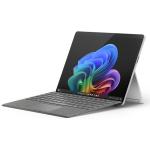


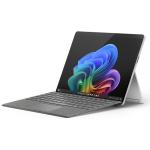


Microsoft Surface Pro (12th Edition) for Business - Platinum 13" - Intel Core Ultra 5 - 16GB RAM - 512GB SSD
- Brand: Microsoft
- MPN: EP2-55223
- Part #: TABMST123055121612
Product URL: https://www.pbtech.com/pacific/product/TABMST123055121612/Microsoft-Surface-Pro-12th-Edition-for-Business
Features
Surface Pro is two devices in one
Alternate between a tablet you can write and draw on with Slim Pen and a laptop when you engage the built-in kickstand and pair Surface Pro with a keyboard.[3]
A rich, vivid display
See clearly, even when working outdoors, on a 13-inch PixelSense™ touchscreen, available with an optional anti-reflective OLED display for brighter colours and contrast.[4],[5],[24] Swipe, scroll and write smoothly with a refresh rate of up to 120Hz.
Navigate your way: pen, touch or voice
Switch seamlessly between a natural digital inking experience and a touchscreen responsive to intuitive gestures like drag and drop. Or go hands-free with voice commands.
Enhanced video calling
Join polished video calls with the ultrawide front camera enhanced with AI-powered Windows Studio Effects, and scan documents and capture sharp details with a high-resolution rear camera.[6]
Multitask like a pro with Intel®
Intel® Core™ Ultra Series 3 processors provide smooth and exceptionally fast performance to handle demanding apps and challenging creative workflows.
Take on AI tasks effortlessly
The built-in Neural Processing Unit (NPU) supports the processing of AI workloads locally, offloading work from the CPU for faster performance and improved efficiency to help you save time on work.
Unplug with up to 17 hours of battery
All-day battery life makes it easier to work from anywhere, then recharge in a snap with fast charging, supported via Surface Connect or USB-C®.[1],[7]
Work from anywhere with optional 5G
Access data or check email no matter where you are - ultra-fast downloads and secure connectivity are just two of the many benefits of optional 5G.[2]
Reduce lag with more RAM and storage
With up to 64 GB of memory and 1 TB of storage, experience lightning-fast load times and read and write speeds.[8] A removable solid-state drive helps support data retention.[9]
Stay connected with ultra-fast WiFi & Bluetooth®
WiFi 7 and Bluetooth® Core 5.4 provide the fastest wireless connectivity for ultra-reliable connections.[10] Enjoy smooth calls and seamless pairing with accessories.
Transform Pro into a full desktop setup
Master multitasking when you extend your setup and enable split-screen workflows - Surface Pro for Business supports up to three 4K external monitors at 60Hz with compatible docks or through daisy chain.[11]
Find your perfect angle
Adjust the built-in kickstand to work on Pro as a laptop or a tablet at the most comfortable angle.
A flexible 2-in-1 keyboard
Pair your device with Surface Pro 13-inch Flex Keyboard for Business, which works attached or detached to adapt to work in any location.[12],[13]
Control and comfort you can feel
Fine-tune click and haptic response on the precision haptic touchpad for intuitive control paired with a quiet, comfortable backlit keyboard.
Designed with a Zero Trust mindset
Security is built into your device's hardware, firmware, and software layers to help reduce risk and streamline remediation.
Out-of-the-box protections
Surface Pro for Business is a Secured-core PC with Windows 11 Pro, designed to help keep you protected against new and evolving threats with key recommended Windows security features on by default.
Sign in without a password
Windows Hello facial recognition, passkeys and optional NFC reader (available on WiFi models only) provide strong, passwordless authentication which helps to protect user credentials and supports secure access to data.[15]
Built for security above all else
Surface devices are secure by design, secure by default, and secure in operation-built to support your business's compliance objectives and deliver trusted security from chip to cloud.
Interact with Copilot your way
Type, swipe, sketch with Slim Pen or use the dedicated key to interact with Copilot.[16] Converse naturally with Voice in Microsoft 365 Copilot and it can help you organise tasks and create content.[17],[18] With Slim Pen, launch Copilot Voice or lasso-select images and text for assistance without breaking your flow.[3]
Get more done with Microsoft 365 Copilot
Find answers and multitask better. Copilot brings your files, meetings, emails and more together, all within the Microsoft 365 apps you use every day, like Word, PowerPoint and Excel.[19]
Quickly find what you're looking for
Improved Windows Search saves you time by finding files fast, even if you forget their name.[20] Just describe what you're looking for - images, files, apps and more.
Stay in your flow with Click to Do
Click to Do analyses text and images on your screen and serves up suggestions, so you can work smarter.[21] Use it to rewrite content, summarise reports, enhance images and collaborate with Copilot - all without switching apps.
Customize your Copilot
Create and use custom Copilots right in your workflow using natural language or a graphical interface. With Copilot Studio, you can easily design, test and publish AI agents for your needs.[22]
Connect across languages with live captions
Live captions instantly translate speech and add subtitles in real-time to meetings and local videos, so everyone can follow along together.[23]
[1] Based on local video playback test. Battery life varies significantly with settings, usage, ambient lighting and other factors. See Surface battery performance.
[2] 5G not available in all areas. Compatibility and performance depend on carrier network, plan and other factors. See carrier for details and pricing.
[3] Pen and keyboard sold separately.
[4] OLED is only available with Intel® Core™ Ultra 7 processor configurations.
[5] Surface display has rounded corners within a standard rectangle. When measured as a standard rectangular shape the screen is 13 inches diagonally (actual viewable area is less).
[6] Copilot+ PCs feature. Requires built-in camera; available effects vary by device. See Copilot+ PC FAQs.
[7] Fast charging is supported with minimum 65W Surface Power Supply or minimum 60W USB Type-C® PD charger or higher, sold separately. Testing conducted by Microsoft in February 2026. For details on fast charging see USB-C® and fast charging for Surface - Microsoft Support.
[8] System software uses significant storage space. Available storage is subject to change based on system software updates and apps usage. 1 GB = 1 billion bytes. 1 TB = 1,000 GB. See Surface storage options for more details.
[9] Drive Retention is only available on Microsoft Surface devices in which the Drive is marketed as removable in the technical specifications. Devices returned without a drive may incur a replacement fee unless covered by a Drive Retention benefit (sold separately). Available plans and options may vary by device and region. See Surface Warranty, Protection Plans & Support - Microsoft Surface for Business for details.
[10] 6GHz band not available in all regions.
[11] Supporting three external displays requires either two displays connected to a compatible dock or connected through daisy chain.
[12] Sold separately. Software licence required for some features.
[13] Detached use requires Windows 11.
[15] NFC available with WiFi only models.
[16] Copilot key feature availability varies by market, see Keyboard shortcuts in Windows.
[17] Voice focus requires activation and Windows 11, and is available in apps which use integrated device microphones and certain Windows audio processing modes.
[18] Microsoft 365 Copilot licence required. Supports multiple languages; some features only available in English. See what's new in Voice Access.
[19] Requires eligible Microsoft 365 licence. File upload and image generation limits apply.
[20] Improved Windows search works with specific text, image and document formats only; optimised for select languages [English, Chinese (Simplified), French, German, Japanese and Spanish].
[21] Copilot+ PC feature. Image actions now available across devices; other actions vary by device, region, language and character sets. Subscription required for some actions. Some actions require a subscription See Copilot+ PC FAQs.
[22] Requires Microsoft 365 along with tenant and per user licensing.
[23] Translation for video and audio subtitles into English from 40+ languages and from 27 languages into Chinese (Simplified).
[24] The Surface Pro for Business display has been designed to minimize unwanted reflections and has been certified by TÜV SÜD to meet the requirements of ISO 9241-307.
Specifications
Processor
Intel® Core™ Ultra 5 processor 335 (Series 3)
NPU
Intel® AI Boost with 50 TOPS
Graphic
Intel® Core™ Ultra 5 processor (Series 3): Intel® Graphics
Memory and storage
Memory: 16 GB LPDDR5x RAM
Storage: solid-state drive (Gen 4) 512 GB
Display
LCD display:
Touchscreen 13-inch PixelSense™ Flow display
Resolution: 2880 × 1920 (267 PPI)
Aspect ratio: 3:2
Contrast ratio: 1300:1
Dynamic refresh rate: up to 120Hz
Colour profile:
- SDR mode: sRGB and Vivid
- HDR mode: HDR
Individually colour-calibrated display
Adaptive colour
Adaptive contrast
Auto colour management
Touch: 10-point multi-touch
Dolby Vision IQ™ support
Strengthened glass display
Anti-reflective, ISO 9241-307 certified
Brightness:
- SDR: 600 nits maximum (typical)
- HDR: 600 nits peak luminance
Size and Weight
Length: 287 mm (11.3 inch)
Width: 209 mm (8.2 inch)
Height: 9.3 mm (0.37 inch)
Weight: 895 g (1.97 lbs)
Battery life
Up to 17 hours of local video playback
Up to 11 hours of active web usage
Security
Windows 11 Secured-core PC
Enterprise-grade security with integrated TPM 2.0 and BitLocker support
Microsoft Pluton security processor
Windows Hello facial recognition with Enhanced Sign-in Security
NFC authentication
Firmware
- Surface UEFI built with Patina and Project Mu open‑source components available through the Open Device Partnership (ODP)
- Firmware built with Secured Embedded Controller project open-source components available through ODP
- Updated through Windows Update
Cameras
Quad HD front-facing Surface Studio Camera
- 1440p Quad HD camera with ultra-wide field of view
Support for Windows Studio Effects with automatic framing, eye contact, portrait blur and background blur
10 MP Ultra HD rear-facing camera
Windows Hello face authentication camera with Enhanced Sign-in Security
Audio
Dual Studio Mics with voice focus
2W stereo speakers with Dolby Atmos®
Support for Bluetooth® LE Audio
Ports and charging
2 x USB-C® with USB4®/Thunderbolt™ 4 with support for:
- Charging
- Data transfer
- DisplayPort 2.1 with support for up to three 4K monitors at 60Hz
- Surface Thunderbolt™ 4 Dock and other accessories
Supports fast charging with minimum 60W charger via Surface Connect or USB-C®
Surface Pro 13-inch Keyboard port
Surface Connect port
Pen & keyboard compatibility
Pen compatibility
Designed for Surface Slim Pen (2nd Edition)
- Integrated storage and wireless charging for Surface Slim Pen (2nd Edition) with Surface Pro 13-inch Keyboard and Surface Pro 13-inch Flex Keyboard
Supports tactile signals with Surface Slim Pen (2nd Edition)
Supports Microsoft Pen Protocol (MPP)
Network and connectivity
WiFi 7
Bluetooth® Core 5.4 technology
Software
Windows 11 Pro
Preloaded Microsoft 365 Apps
Microsoft 365 Business Standard, Microsoft 365 Business Premium or Microsoft 365 Apps 30-day trial
Accessibility
Compatible with Surface precision haptic touchpad built into Surface Pro 13-inch Flex Keyboard for Business
Compatible with Surface Adaptive Kit
Compatible with Microsoft adaptive accessories
Includes Windows Accessibility Features
Sustainability
Surface Pro for Business, 13-inch is designed with sustainability in mind
Recycled materials
86% recycled content in the enclosure, including 100% recycled aluminium alloy and 100% recycled rare earth metals.
100% recycled rare earth metals in all magnets.
100% recycled cobalt contained in battery cell.
100% recycled tin contained in solder paste.
100% recycled gold in the motherboard.
100% recycled copper in the motherboard
50% recycled copper in thermal assembly cold plate.
Thoughtful packaging
77% recycled content in wood-based fibre commercial packaging
Paper-based, minimising plastic use
100% of our virgin paper sourced comes from responsibly managed forests
Repairability
Clear visual icons and built-in access to repair instructions
In January 2020, Microsoft committed to be carbon negative, water positive and achieve zero waste by 2030. Learn more about how we design with sustainability in mind at Microsoft Surface Sustainability
Serviceability
Replacement components include:
Display module
Removable solid-state drive
Battery
Motherboard (including main processor and main memory)
Surface Connect
Thermal module
Microphone module (Including IR Camera)
Solid-state drive door
Speakers
Enclosure (bucket)
Front camera
Rear camera
Power and volume buttons
Kickstand
Device entry kit
Exterior
Casing: anodised aluminium
Physical buttons: volume, power
Kickstand
Kickstand with 165 degrees full friction hinge
Sensors
Ambient colour sensor
Accelerometer
Gyroscope
Magnetometer
NFC
What's in the box
Surface Pro for Business
39W power supply with Surface Connect
Quick Start Guide
Safety and warranty documents
Battery Capacities
Battery Capacity Nominal (Wh) 47
Battery Capacity Min (Wh) 46
