Welcome to PB Tech Global. All prices shown are in $AUD. All prices are in $AUD.

Generating Print Page

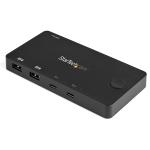
StarTech.com SV231USBLC 2-port KVM Console Adapter for Laptop

PB Tech price
PB Tech price
AUD $ 522 .00
$ 522 .00

Out of stock

Limited Supply - only stock on hand available, when sold out we may not be able to source this product again.

StarTech.com SV231USBLC 2-port KVM Console Adapter for Laptop

  • Brand: StarTech.com
  • MPN: SV231USBLC
  • Part #: KVMSTT3239358
  • UPC: 065030862998
PB Tech price
AUD $ 522 .00 $ 522 .00


Delivery: Out of stock
Estimated Delivery Times
7 - 10 working days for international destinations

View all shipping info

Features

Instantly turn your laptop into a 2-port KVM console, by connecting it to this rackmounted crash cart adapter

- Save cost with an innovative design that uses your laptop as a 2-port KVM console
- Hassle-free 2-port server access with intuitive design and software
- Intuitive software included for laptop-to-server file transfers and screen capturing
- Supports resolutions up to 1920x1200
- Mounting hardware included

This 2-port USB crash-cart adapter gives you KVM control of your servers, directly from your laptop. It's a convenient solution for routine diagnostics, maintenance and updates for small-scale server applications, giving you full console access to servers located in small spaces, or congested server racks. It's also perfect for environments where a fixed-installation console server isn't feasible, such as in a server closet or wall-mounted server rack.

Maximize your IT budget, minimize your hassle

The USB crash-cart adapter offers a cost-effective and convenient way to access and control your servers. At a fraction of the cost of a rack-mounted LCD console, installing this easy-to-use adapter means not having to wheel around a conventional server-room crash cart.

Instead of the expense of a dedicated rack console, or hassle of a full-scale crash cart, you can multi-purpose your laptop and save your IT budget by using equipment you already have on hand.

Streamline your server maintenance

Using the included software, the adapter can do things that regular KVMs can't. The software provides a robust and flexible interface that lets you view your servers on your full laptop screen, without scroll bars, and lets you reduce the viewing window so that you can work on your laptop and servers at the same time to maximize your productivity.

The software also supports file transfers between your laptop and the servers, which is perfect for server software updates and patches. The adapter's software also offers video capture support, so you can record your activity on the servers as video, which you can later use for verification or instructional purposes.

Get up and running in minutes

The USB crash cart is easy to install, using the included mounting brackets and 2-in-1 USB and VGA cables. Installing the included software on your laptop is also easy, using the included pre-loaded USB key.

Applications

- Access your servers using your laptop, to avoid the expense of a rackmount console
- Gain full console access to servers located in small spaces, or congested server racks where a fixed-installation console is not feasible, such as in a server closet or in a wall-mounted server rack
- Create instructional videos or keep records of your server activities, using screen captures you've taken from your servers

Specifications

Connector(s)

Console Interface(s)

1 - USB Mini-B (5 pin)

Host Connectors

2 - VGA (15 pin, High Density D-Sub)
2 - USB B (4 pin)

Other Interface(s)

1 - VGA (15 pin, High Density D-Sub)
1 - USB 2.0 Type-A (4 pin, 480Mbps)

Environmental

Operating Temperature

0°C to 40°C (32°F to 104°F)

Storage Temperature

-40°C to 70°C (-40°F to 158°F)

Humidity

80% RH

Hardware

Audio

No

KVM Ports

2

PC Interface

USB

PC Video Type

VGA

Number of Monitors Supported

1

Rack-Mountable

No

Daisy-Chain

No

Indicators

LED Indicators

1 - port 1 activity LED
1 - port 2 activity LED
1 - console activity and link LED
1 - keyboard/mouse activity and link LED
1 - host/server video (VGA) Link

Packaging Information

Shipping (Package) Weight

3.2 lb [1.5 kg]

Package Quantity

1

Package Length

14.4 in [36.5 cm]

Package Width

11.3 in [28.8 cm]

Package Height

2.8 in [7.0 cm]

Performance

IP Control

No

Maximum Analog Resolutions

1920x1200 @ 60Hz

Maximum Number of Users

1

Physical Characteristics

Color

Black

Material

Steel

Cable Length

16.4 in [416 mm]

Product Length

7.7 in [19.5 cm]

Product Width

3.9 in [10.0 cm]

Product Height

1.0 in [2.5 cm]

Product Depth

10.2 in [260 mm]

Weight of Product

12.9 oz [365.0 g]

Power

Power Source

AC Adapter Included

Input Voltage

100 - 240 AC

Input Current

0.75 A

Output Voltage

5 DC

Output Current

3 A

Plug Type

N

Power Consumption (In Watts)

15

Software

OS Compatibility

Windows® XP, Vista, 7, 8, 8.1, 10,11
Windows Server® 2008 R2, 2012, 2012 R2, 2016, 2019, 2022
macOS 10.6 to 10.15, 11.0, 12.0, 13.0, 14.0, 15.0, 26.1
Linux 2.6.x to 4.11 (LTS Versions only)

Special Notes / Requirements

Note

If you're interfacing with a Linux device, this adapter is only compatible with standard QWERTY keyboards in U.S English configuration

What's in the Box

Included in Package

1 - 2-port laptop-to-KVM console adapter
2 - mounting brackets
2 - 2-in-1 USB and VGA cables - 6 ft
1 - USB A to Mini-B cable
1 - USB software key
1 - universal power adapter (NA/EU/UK/AU)
1 - quick install guide

Manufacturer Part No:
SV231USBLC
Brand:
Product Type:
-
UPC
065030862998
Product Family:
-
Shipping Weight:
1.55 kg
PB Part No:
KVMSTT3239358
Product Model:
SV231USBLC
Warranty: 24 months *
* Warranty period is as stated above unless the manufacturer has chosen to specify a longer period.
All warranties are return to base unless otherwise specified.
Provide feedback on product content: If this product page is missing key information or you spotted a mistake please let us know.

Reviews

There are currently no reviews for this product

Do you own this product?

Write a review and go into the monthly draw Win A $100 PB Tech Gift Card!

Delivery & Pick-up

Shipping Costs

Shipping costs vary based on your location and the items being shipped and in some cases shipping may even be FREE.

To calculate what the shipping costs will be for your order, add the items you are interested in to your cart, view the Shopping Cart page, and select your 'Delivery Area' to calculate the shipping cost.

Shipping Security & Insurance

All orders shipped by PB Tech are sent via a courier with a signature required for each delivery. In some cases, and only where you have given the courier company permission to leave orders at a designated location, your order may be delivered without requiring a signature. All orders sent by PB Tech are fully insured in the unlikely event that your item(s) are damaged or go missing in transit.

Delivery Estimates

The delivery time-frame (in days) for each product we sell is detailed on the individual product page just to the right of the main product image. From when you place your order, in-stock products typically arrive within 7-10 working days for all countries that we ship to.

Overseas Shipments

If you are located in New Zealand, you can order directly from our New Zealand site www.pbtech.co.nz. If you are located in Australia you can order directly from our Australian website www.pbtech.com/au

Returns & Warranty

7 day right of exchange

If you change your mind after making a purchase, or realise you have ordered the incorrect item, you can enjoy the peace of mind that we offer a 7 day exchange policy.

To exchange a product, goods must be sealed / unopened, with packaging in original condition, and accompanied by a valid receipt dated no more than 7 calendar days from when you request an exchange.

If there is not a suitable product that can be exchanged for your returned item you will be offered a credit on your account or gift card based on the value paid at the time of purchase.

Please note, items purchased on finance cannot be exchanged for a gift card.


Hassle free warranty service

If your product develops a fault within the manufacturer warranty period, you need to fill out our request a return form.

If your product develops a fault outside of the manufacturer warranty or PB Tech warranty period, we offer a full repair service and are an authorised repair agent for leading brands such as Samsung, HP, Toshiba, Lenovo and more.


Returning a product / making a warranty claim

To return a product to PB Tech, please complete our request a return form.

Or view our returns policy for more information.

StarTech.com SV231USBLC 2-port KVM Console Adapter for Laptop

  • Brand: StarTech.com
  • MPN: SV231USBLC
  • Part #: KVMSTT3239358
  • UPC:065030862998
AUD $522.00

Date Created: 16:14, 15-06-2026
Product URL: https://www.pbtech.com/product/KVMSTT3239358/category/software

Features

Instantly turn your laptop into a 2-port KVM console, by connecting it to this rackmounted crash cart adapter

- Save cost with an innovative design that uses your laptop as a 2-port KVM console
- Hassle-free 2-port server access with intuitive design and software
- Intuitive software included for laptop-to-server file transfers and screen capturing
- Supports resolutions up to 1920x1200
- Mounting hardware included

This 2-port USB crash-cart adapter gives you KVM control of your servers, directly from your laptop. It's a convenient solution for routine diagnostics, maintenance and updates for small-scale server applications, giving you full console access to servers located in small spaces, or congested server racks. It's also perfect for environments where a fixed-installation console server isn't feasible, such as in a server closet or wall-mounted server rack.

Maximize your IT budget, minimize your hassle

The USB crash-cart adapter offers a cost-effective and convenient way to access and control your servers. At a fraction of the cost of a rack-mounted LCD console, installing this easy-to-use adapter means not having to wheel around a conventional server-room crash cart.

Instead of the expense of a dedicated rack console, or hassle of a full-scale crash cart, you can multi-purpose your laptop and save your IT budget by using equipment you already have on hand.

Streamline your server maintenance

Using the included software, the adapter can do things that regular KVMs can't. The software provides a robust and flexible interface that lets you view your servers on your full laptop screen, without scroll bars, and lets you reduce the viewing window so that you can work on your laptop and servers at the same time to maximize your productivity.

The software also supports file transfers between your laptop and the servers, which is perfect for server software updates and patches. The adapter's software also offers video capture support, so you can record your activity on the servers as video, which you can later use for verification or instructional purposes.

Get up and running in minutes

The USB crash cart is easy to install, using the included mounting brackets and 2-in-1 USB and VGA cables. Installing the included software on your laptop is also easy, using the included pre-loaded USB key.

Applications

- Access your servers using your laptop, to avoid the expense of a rackmount console
- Gain full console access to servers located in small spaces, or congested server racks where a fixed-installation console is not feasible, such as in a server closet or in a wall-mounted server rack
- Create instructional videos or keep records of your server activities, using screen captures you've taken from your servers

Specifications

Connector(s)

Console Interface(s)

1 - USB Mini-B (5 pin)

Host Connectors

2 - VGA (15 pin, High Density D-Sub)
2 - USB B (4 pin)

Other Interface(s)

1 - VGA (15 pin, High Density D-Sub)
1 - USB 2.0 Type-A (4 pin, 480Mbps)

Environmental

Operating Temperature

0°C to 40°C (32°F to 104°F)

Storage Temperature

-40°C to 70°C (-40°F to 158°F)

Humidity

80% RH

Hardware

Audio

No

KVM Ports

2

PC Interface

USB

PC Video Type

VGA

Number of Monitors Supported

1

Rack-Mountable

No

Daisy-Chain

No

Indicators

LED Indicators

1 - port 1 activity LED
1 - port 2 activity LED
1 - console activity and link LED
1 - keyboard/mouse activity and link LED
1 - host/server video (VGA) Link

Packaging Information

Shipping (Package) Weight

3.2 lb [1.5 kg]

Package Quantity

1

Package Length

14.4 in [36.5 cm]

Package Width

11.3 in [28.8 cm]

Package Height

2.8 in [7.0 cm]

Performance

IP Control

No

Maximum Analog Resolutions

1920x1200 @ 60Hz

Maximum Number of Users

1

Physical Characteristics

Color

Black

Material

Steel

Cable Length

16.4 in [416 mm]

Product Length

7.7 in [19.5 cm]

Product Width

3.9 in [10.0 cm]

Product Height

1.0 in [2.5 cm]

Product Depth

10.2 in [260 mm]

Weight of Product

12.9 oz [365.0 g]

Power

Power Source

AC Adapter Included

Input Voltage

100 - 240 AC

Input Current

0.75 A

Output Voltage

5 DC

Output Current

3 A

Plug Type

N

Power Consumption (In Watts)

15

Software

OS Compatibility

Windows® XP, Vista, 7, 8, 8.1, 10,11
Windows Server® 2008 R2, 2012, 2012 R2, 2016, 2019, 2022
macOS 10.6 to 10.15, 11.0, 12.0, 13.0, 14.0, 15.0, 26.1
Linux 2.6.x to 4.11 (LTS Versions only)

Special Notes / Requirements

Note

If you're interfacing with a Linux device, this adapter is only compatible with standard QWERTY keyboards in U.S English configuration

What's in the Box

Included in Package

1 - 2-port laptop-to-KVM console adapter
2 - mounting brackets
2 - 2-in-1 USB and VGA cables - 6 ft
1 - USB A to Mini-B cable
1 - USB software key
1 - universal power adapter (NA/EU/UK/AU)
1 - quick install guide

Date Created: 16:14, 15-06-2026
Product URL: https://www.pbtech.com/product/KVMSTT3239358/category/software