
Yealink Essential Bundle - Medium Space - Teams Room
Includes Yealink 75" Meeting Display (Wall Mount Not Included) - A40 All-in-One Video Bar with CTP25 Touch Console
Out of stock
Yealink Essential Bundle - Medium Space - Teams Room
Includes Yealink 75" Meeting Display (Wall Mount Not Included) - A40 All-in-One Video Bar with CTP25 Touch Console
- Brand: Yealink
- MPN: A40-031+MD75+AVBRACKET
- Part #: VCYLK6651826
- UPC:


- Brand: Yealink
- MPN: A40-031+MD75+AVBRACKET
- Part #: VCYLK6651826
- UPC:
Features
*This is a bundle of: Yealink MeetingBar A40 (A40-031) + Yealink MeetingDisplay 75" + Yealink MeetingDisplay Bracket
MEETINGBAR A40
Powerful Meetings, Simple Connect for premium small to medium rooms

DESIGNED FOR SIMPLICITY
MeetingBarA40 is a next-generation all-in-one video bar that leverages industry-leading AI to enhance daily hybrid meetings. It offers easy deployment and use, making it ideal for premium small to medium-sized meeting rooms.
- up to 13 people
- 5-min setup

SIMPLIFY WITH ONE PLUG
MeetingBarA40's One-Cable Solution simplifies deployment and sharing in 2 ways. A single Cat5e cable from the bar to the touch console provides power and network connectivity to the touch console, eliminating extra cables. Signing in on the touch console synchronizes the entire system, removing the need to sign in on the touch console. Additionally, a single USB-C cable from the touch console to the PC enables 4K sharing, BYOD, and PDcharging.

2 LOOKS BETTER THAN 1
The MeetingBarA40's dual-camera system captures an ultra-wide view with impressive details. Its dual 78°FoV cameras collaborate to form a superior 120° frame, providing high-quality shots, particularly at a distance. Elevate your visuals with precision and clarity in every frame. You look great. No one is missed out.

BE IMPRESSIVE WITH AI-POWERED VIEW
The MeetingBar A40 ensures everyone is equally impressive and important in a virtual meeting. Embrace a new level of meeting equity
The on-device IntelliFocus feature displays real-time close-up shots of the recent speakers, enabling you to stay focused on what truly matters. Feel free to make your points just as you would in a face-to-face conversation.

The Video Fence feature marks the boundaries of a virtual meeting space. Your colleagues only see and hear what's inside, keeping the focus solely on your point.

Voice Enhanced with AI-Powered Audio
To ensure a smooth and distraction-free virtual meeting, A40 provides high-quality full-duplex audio with AI-Enhanced Noise Cancellation and Reverberation Suppression.

FLEXIBILTY MAXIMIZED
The touch console CTP25 can be mounted on the desk or wall, and it offers flexible connectivity options with direct connection to the bar or via IP.

MEET YOUR WAY
Yealink MeetingBar supports diverse video platform experiences. No matter which platform you use, start your meeting right now!

ANDROID BASED, MEETINGS SECURED
MeetingBar A40, based on Android 13, supports the Microsoft Device Ecosystem Platform (MDEP), ensuring a future-proof and secure meeting experience that effectively combats malicious attacks and data leaks.

MANAGEMENT OVER THE AIR
Masterdevices in bulk with professional management platforms such as Microsoft Teams Admin Center (TAC), MTR Portal Management Platform(PMP), Zoom Device Platform (ZDM) and Yealink Management Cloud Service (YMCS).

PACK IT ALL

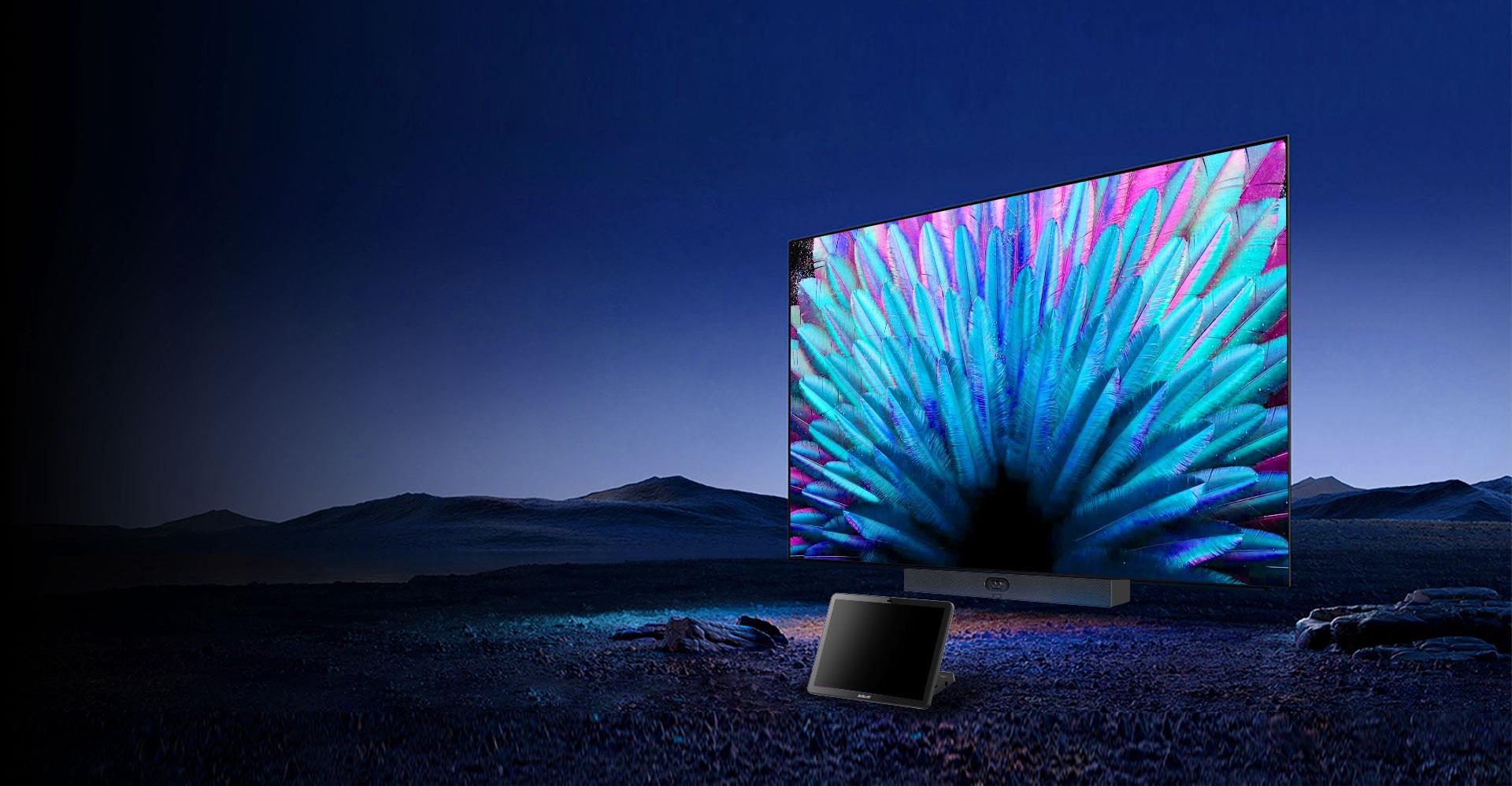
MeetingDisplay Unified Meeting, Display Now
Yealink's MeetingDisplay for MTR System (MTR Display)
Comes with a 3-year warranty.
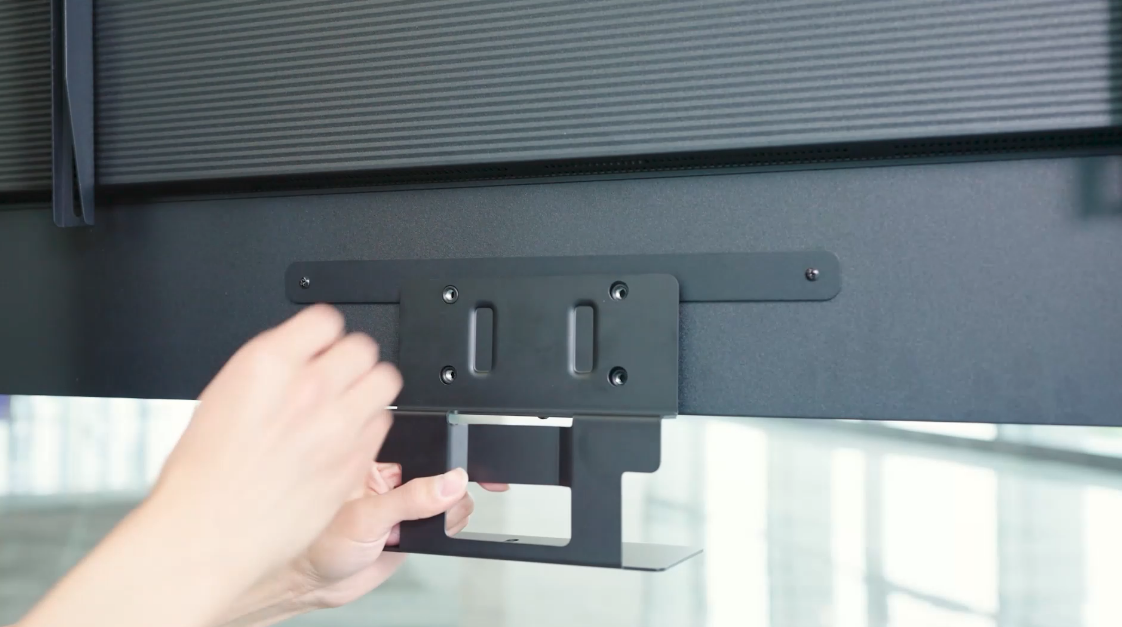
INSTALL LIKE A BREEZE
The customized installation structure* makes installation easy, without the trouble of wall drilling. Just screw and hang, the meetingbar and display are ready!
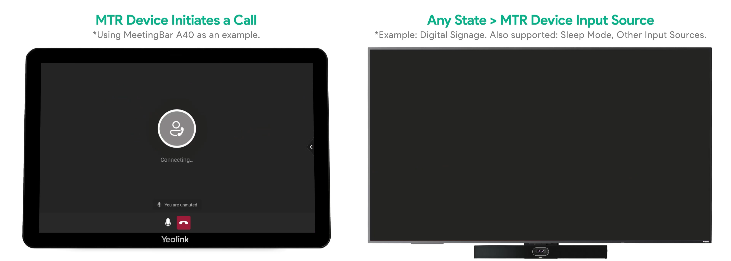
ONE WAY AS ALL COORDINATION
Integrated with Yealink MeetingDisplay, Yealink unified solution supports automatic switching to current input source (regardless of which source you are on, when a Teams call comes in, it will automatically switch to Teams), as well as sleep and wake-up functionality. Enjoy smooth and seamless meeting device coordination.
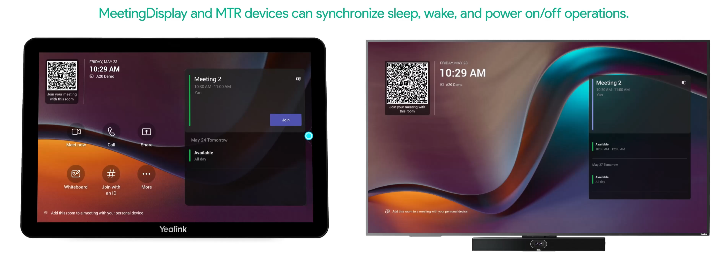
ONE TOUCH CONSOLE, GET TO THE HEART OF CONFIGURATION FAST.
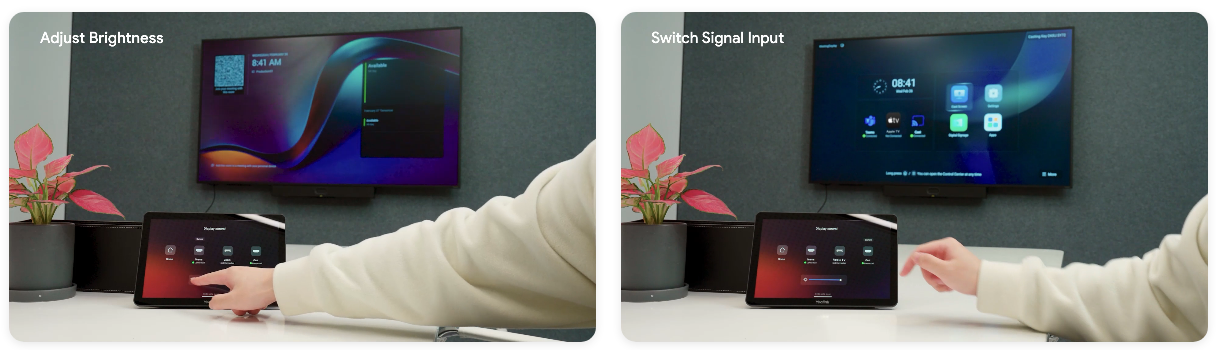
One touch console is enough. Configure MTR devices and MeetingDisplay easily, without TV remote control. Effortlessly switch signal inputs and adjust Meeting-Display's brightness, contrast, volume, etc.
MANAGEMENT OVER THE AIR
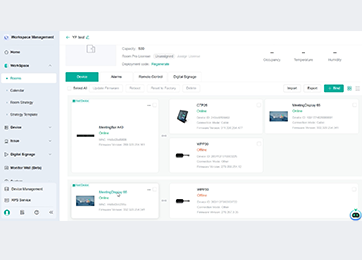
With Yealink Management Cloud Service (YMCS), you can manage both MeetingDisplay and MTR devices from a single platform - no need to switch between systems.
Manage Devices in Bulk
Upgrade and update phones in bulk by specifying firmware and resources.
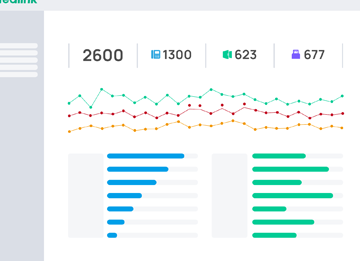
Get Real-time Alarms
There are multiple alarms such as poor call quality and firmware upgrade failure. Set notification emails to ensure IT admins won't miss any alarms.
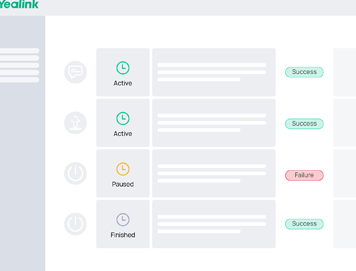
Schedule Tasks Worry Free
Implement management tasks during off-hours to ensure business continuity, and view the execution results of each task to provide you with peace of mind.
CONNECT. SHARE. ENGAGE.
The MeetingDisplay features a Dual-Ethernet design, with one port capable of providing network connectivity for MTR devices-solving the issue of limited Ethernet availability. It also supports seamless wireless content sharing via presentation pod, enabling effortless local collaboration. Additionally, near-zero latency HDMI-in ensures smooth, lag-free communication.
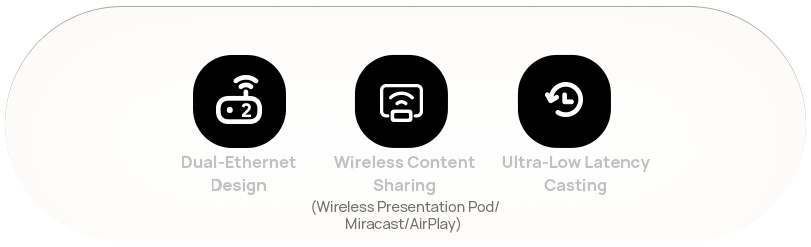
(Note: Wireless presentation pod is unavailable in the USA)
For more information: https://www.yealink.com/en/product-detail/meetingdisplay
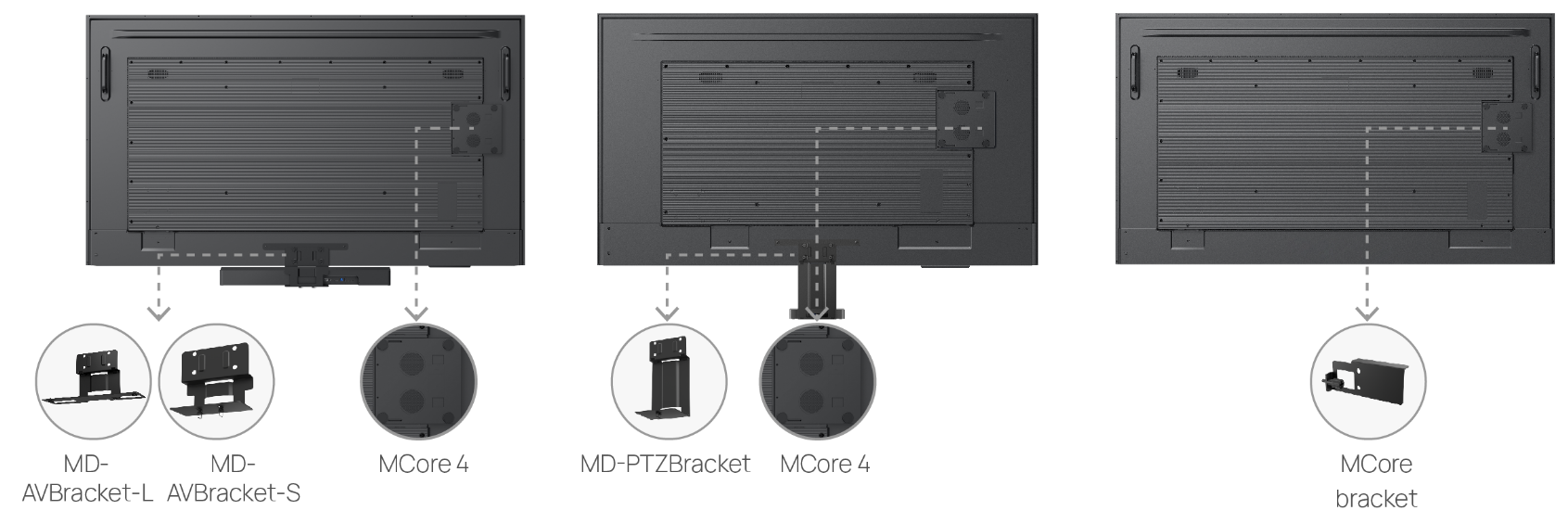
MD-AVBracket-S Bracket for MeetingBar A40 and SmartVision 40
The MD-AVBracket-S is a dedicated mounting kit designed for the MeetingBar A40 and SmartVision 40, enabling it to be seamlessly attached to the MeetingDisplay. The customized installation structure makes installation easy, without the trouble of wall drilling.
Just screw and hang, the meetingbar and display are ready!
- Seamless attachment to MeetingDisplay
- No wall drilling required
- Quick and tool-friendly installation
Specifications
Reviews
Delivery & Pick-up
Returns & Warranty
Popular Meeting Room Systems

 Yealink MVC S40 (S40-C4-000) 48MP/4K Dual-Eye Video Conference...

 Maxhub XCore Pro Kit Intel 12th Gen - i5 Compute with Win11 IOT &...

 Maxhub XCore Kit Intel 12th Gen - 10-Core - i3 compute & 10.1"...

 Yealink MCoreKit C4 Teams Room System MCore Mini PC - MTouch E2...

 Maxhub XBar V50 100MP/4K Dual Sight-Lens All-in-One Conference...

Yealink Essential Bundle - Medium Space - Teams Room Includes Yealink 75" Meeting Display (Wall Mount Not Included) - A40 All-in-One Video Bar with CTP25 Touch Console
- Brand: Yealink
- MPN: A40-031+MD75+AVBRACKET
- Part #: VCYLK6651826
Product URL: https://www.pbtech.com/product/VCYLK6651826/Yealink-Essential-Bundle---Medium-Space---Teams-Ro
Features
*This is a bundle of: Yealink MeetingBar A40 (A40-031) + Yealink MeetingDisplay 75" + Yealink MeetingDisplay Bracket
MEETINGBAR A40
Powerful Meetings, Simple Connect for premium small to medium rooms
DESIGNED FOR SIMPLICITY
MeetingBarA40 is a next-generation all-in-one video bar that leverages industry-leading AI to enhance daily hybrid meetings. It offers easy deployment and use, making it ideal for premium small to medium-sized meeting rooms.
- up to 13 people
- 5-min setup
SIMPLIFY WITH ONE PLUG
MeetingBarA40's One-Cable Solution simplifies deployment and sharing in 2 ways. A single Cat5e cable from the bar to the touch console provides power and network connectivity to the touch console, eliminating extra cables. Signing in on the touch console synchronizes the entire system, removing the need to sign in on the touch console. Additionally, a single USB-C cable from the touch console to the PC enables 4K sharing, BYOD, and PDcharging.
2 LOOKS BETTER THAN 1
The MeetingBarA40's dual-camera system captures an ultra-wide view with impressive details. Its dual 78°FoV cameras collaborate to form a superior 120° frame, providing high-quality shots, particularly at a distance. Elevate your visuals with precision and clarity in every frame. You look great. No one is missed out.
BE IMPRESSIVE WITH AI-POWERED VIEW
The MeetingBar A40 ensures everyone is equally impressive and important in a virtual meeting. Embrace a new level of meeting equity
The on-device IntelliFocus feature displays real-time close-up shots of the recent speakers, enabling you to stay focused on what truly matters. Feel free to make your points just as you would in a face-to-face conversation.
The Video Fence feature marks the boundaries of a virtual meeting space. Your colleagues only see and hear what's inside, keeping the focus solely on your point.
Voice Enhanced with AI-Powered Audio
To ensure a smooth and distraction-free virtual meeting, A40 provides high-quality full-duplex audio with AI-Enhanced Noise Cancellation and Reverberation Suppression.
FLEXIBILTY MAXIMIZED
The touch console CTP25 can be mounted on the desk or wall, and it offers flexible connectivity options with direct connection to the bar or via IP.
MEET YOUR WAY
Yealink MeetingBar supports diverse video platform experiences. No matter which platform you use, start your meeting right now!
ANDROID BASED, MEETINGS SECURED
MeetingBar A40, based on Android 13, supports the Microsoft Device Ecosystem Platform (MDEP), ensuring a future-proof and secure meeting experience that effectively combats malicious attacks and data leaks.
MANAGEMENT OVER THE AIR
Masterdevices in bulk with professional management platforms such as Microsoft Teams Admin Center (TAC), MTR Portal Management Platform(PMP), Zoom Device Platform (ZDM) and Yealink Management Cloud Service (YMCS).
PACK IT ALL
MeetingDisplay Unified Meeting, Display Now
Yealink's MeetingDisplay for MTR System (MTR Display)
Comes with a 3-year warranty.
INSTALL LIKE A BREEZE
The customized installation structure* makes installation easy, without the trouble of wall drilling. Just screw and hang, the meetingbar and display are ready!
ONE WAY AS ALL COORDINATION
Integrated with Yealink MeetingDisplay, Yealink unified solution supports automatic switching to current input source (regardless of which source you are on, when a Teams call comes in, it will automatically switch to Teams), as well as sleep and wake-up functionality. Enjoy smooth and seamless meeting device coordination.
ONE TOUCH CONSOLE, GET TO THE HEART OF CONFIGURATION FAST.
One touch console is enough. Configure MTR devices and MeetingDisplay easily, without TV remote control. Effortlessly switch signal inputs and adjust Meeting-Display's brightness, contrast, volume, etc.
MANAGEMENT OVER THE AIR
With Yealink Management Cloud Service (YMCS), you can manage both MeetingDisplay and MTR devices from a single platform - no need to switch between systems.
Manage Devices in Bulk
Upgrade and update phones in bulk by specifying firmware and resources.
Get Real-time Alarms
There are multiple alarms such as poor call quality and firmware upgrade failure. Set notification emails to ensure IT admins won't miss any alarms.
Schedule Tasks Worry Free
Implement management tasks during off-hours to ensure business continuity, and view the execution results of each task to provide you with peace of mind.
CONNECT. SHARE. ENGAGE.
The MeetingDisplay features a Dual-Ethernet design, with one port capable of providing network connectivity for MTR devices-solving the issue of limited Ethernet availability. It also supports seamless wireless content sharing via presentation pod, enabling effortless local collaboration. Additionally, near-zero latency HDMI-in ensures smooth, lag-free communication.
(Note: Wireless presentation pod is unavailable in the USA)
For more information: https://www.yealink.com/en/product-detail/meetingdisplay
MD-AVBracket-S Bracket for MeetingBar A40 and SmartVision 40
The MD-AVBracket-S is a dedicated mounting kit designed for the MeetingBar A40 and SmartVision 40, enabling it to be seamlessly attached to the MeetingDisplay. The customized installation structure makes installation easy, without the trouble of wall drilling.
Just screw and hang, the meetingbar and display are ready!
- Seamless attachment to MeetingDisplay
- No wall drilling required
- Quick and tool-friendly installation
Specifications
[Yealink MeetingBar A40 (A40-031)]
Operating System
Android 13
Camera
Maximum pixels: 2*48MP pixels
Number of preset positions: 9
Electronic gimbal
120° DFOV, 54° VFOV, 110° HFOV
Depth of field: 1-5 meters
6x digital zoom
Maximum resolution: 4K
Maximum frame rate: 60FPS
Video output resolution: 4K60fps, 1080P60fps
Effective focal length: 4.2 mm
Aperture: F/2.2-F/2.4
Supports wide dynamic range
High dynamic range imaging: 10-bit
Supports auto exposure
White balance: ATW/auto/manual
Shutter speed: 10ms-33ms
Minimum illumination: 0.5 lux (daytime), 0.1 lux (nighttime)
Signal-to-noise ratio: >63 dB
Privacy cover: Electric lens cap
Lens calibration
Intelligence Features
- IntelliFocus
- Auto Framing
- Speaker Tracking
People counting
- Picture in Picture
- Multi-focus Framing
- Smart Gallery (Zoom only)
Number of cameras: 2
Speaker
Built-in 2 x 10W speakers
Maximum sound pressure level: 112dBSPL 10W @ 0.1m
Frequency response: 100-16kHz
Sensitivity: 86dB SPL @ 1W @ 0.5 meter
Sampling rate: 48kHz
Sound emission angle: Forward-facing
Total Harmonic Distortion (THD): at 10W, 1kHz, <5%
Rated impedance: 4 ohms
Maximum power: 12W
Rated power: 10W
Microphone
Built-in 8 MEMS microphone array
6-meter pickup distance, 4-meter high-quality pickup distance
Signal-to-noise ratio: 72dB
Maximum sound pressure level: 130dBSPL (whole device), 100dBSPL (individual microphone)
Dynamic range: 28-100dBSPL
Sensitivity: -38dBV/pa
Frequency response: 100-20kHz
Sampling rate: 48K32bit
Bit depth: 32-bit
Resolution
Portrait resolution: up to 4K30fps
Bandwidth requirement: 10Mbps or more
Content sharing
Up to 4K15 in General Mode
Teams: 1080p in meeting, 4K local sharing
Zoom: 1080p
Communication standard protocol
SIP/H.323 in General Mode
Network Protocol
Wi-Fi 6
- 2.4G & 5G dual-band, 802.11a/b/g/n/ac/ax
- 2x2 MIMO
Bluetooth 5.0
TCP/IP (IPv4/IPv6), DHCP/static IP
HTTPS secure web access
Configuration Management
Automatic configuration via web page/display/AutoP
Firmware upgrade, factory reset
Configuration import and export
System log export
Device Management
Yealink Https Web Portal
Yealink Device Management Platform
Yealink Management Cloud Service
Microsoft Device Management Platform(Microsoft Teams Admin Center/Intune)
Zoom Device Management
Installation
Wall mount
Use TV-Clip Mount
Place on the desktop
Ports
1x USB2.0 USB-A port
1x USB-C port
1x Ethernet port
1x Yealink VCH port (RJ-45)
1x 3.5mm Line-in & Line-out port
1x Power port
1x Security lock slot
1x Reset slot
2x HDMI-out
Package
MeetingBar A40
HDMI cable x2
Network cable x1
TV-Clip Mount x1
Wall Mount x1
CTP25
Environmental Factor
Operating humidity: 10 - 95%
Operating temperature: 0 - 40°C
Dimensions and weight (W × D × H)
MeetingBar A40: 650 × 62 × 80 mm
N.W/CTN: 5.540 kg
G.W/CTN: 6.086kg
[Yealink MeetingDisplay 75"] Display
Screen Size:
75 inch
Display Type:
IPS
Surface Treatment:
Anti-glare Coating
Refresh Rate:
60Hz
Grayscale Response Time:
8ms
Color Gamut:
72% NTSC
Colour Depth:
1.07G (10bit)
Viewing Angle:
178°(H)/178°(V)
Contrast Ratio:
1200: 1
Resolution:
3840 x 2160
Brightness:
500 cd/㎡
Haze:
25%
Operation Time:
7*18h
Audio
Speaker:
12W x 2
Content sharing
Wired screen sharing:
- HDMI In
Wireless screen sharing:
- AirPlay
- Miracast
- Wireless Presentation Pod (unavailable in the United States)
Hardware Interfaces
Video:
HDMI In 2.0 x 3
Audio:
3.5mm Stereo Mini Jack (Output)
USB:
USB- A 2.0 x 2, USB- B 2.0 x 1
LAN:
2x RJ45 10/100/1000M network ports
Control:
RS232 x 1, IP Control(Via LAN)
Others:
Reset x 1
Wireless
WiFi:
Wi-Fi 6
- 2.4G & 5G dual-band, 802.11a/b/g/n/ac/ax
Bluetooth:
Bluetooth 5.1
IR:
Supported
Installation Methods
Methods
Wall-mounted Installation
Floor-stand Installation
Packaging
Items included
1 x MeetingDisplay
1 x Cable Pack
- 1 x 3m AC power cable
- 1 x 3m CAT5E network cable
- 1 x Quick Start Guide
- Cable ties
- 1 x Remote Controller (IR)
- 2 x AAA Batteries
- 1 x MCore bracket (Compatible with MCore 4, MCore 4 is sold separately)
Optional Accessories
Mounting Accessories for MeetingDisplay:
Wall mounting Bracket: MD-WallMount (Suitable for 65", 75", and 86" MeetingDisplay)
Motorized mobile stand: MB-FS-Lift
Mounting Accessories for MVC Series & MeetingBar:
Mounting Bracket:
- MD-AVBracket- S: Compatible with MeetingBar A40, SmartVision 40, MSpeaker Pro
- MD-AVBracket- L: Compatible with MeetingBar A50
- MD-PTZBracket: Compatible with UVC86
Casting Accessories:
Wireless Presentation Pod (unavailable in the United States)
System Overview
Operating System:
Android 13
Storage
- Memory: 4G
- Flash: 32G
Power
Power Adapter:
100- 240V~50/60Hz
Power Consumption:
- Max: 215W
- Typical: 186W
- Off mode: less than 0.5W
Environmental Factors
Operating Temperature:
0~40°C
Storage Temperature:
-20~60°C
Operating Humidity:
10~95%
Warranty
Warranty
3 - year
Main Unit Dimensions and Weight
Bare Device Dimensions (W × D × H)
1680 x 57 x 959mm
Packaging Dimensions (W × D × H)
1815 x 185 x 1055mm
Net Weight
28.4kg (62.6 lbs)
Gross Weight
38.7kg (85.3 lbs)
VESA Hole Specs
600 x 400mm
VESA Mount Screw
M8
Bezel Width
6/6/6/8.5(L/R/U/D)
[Yealink MeetingDisplay Bracket]
Manufacturer
Yealink
Product No.
3311110
Colour
Black
Compatibility
Yealink Smartvision 40 / A40
